
Best Dual Monitor Gaming Desk of 2026 for Sturdy Setups
Upgrade your battlestation with the best dual monitor gaming desk solutions for November 2026, offering sturdy steel frames and clean cable setups.
 By Nashia Baker
Updated November 23, 2026


Violent screen wobble during intense gaming sessions ruins focus faster than dropped frame rates. When twin displays rest on a flimsy surface, fast typing and rapid mouse sweeps send tremors across both screens. Setting up the best dual monitor gaming desk requires dependable structural balance, a rigid frame, and smart floor planning. If you share floor space in a compact bedroom, balancing desk dimensions alongside standard bed sizes keeps walking paths open. Sturdy steel legs and reinforced crossbars keep heavy hardware grounded during long matches.
Surface depth plays an equally critical role in everyday posture and eye comfort. Shallow desktops force displays uncomfortably close to your face, causing visual strain and crowding your mechanical keyboard. A dedicated dual screen gaming workstation provides sufficient clearance for clamp-on monitor arms, power strips, and clean cable routing channels. Specification data shows that desks with heavy-duty steel frames and resilient desktop cores handle multi-screen clamp tension without bowing or cracking.
| Award | Product | FCH Score About FCH ScoreThe FCH Score is our own rating from 0 to 10, based on performance, design and build, ease of use, and value. It reflects independent research and is never influenced by manufacturers, retailers, or affiliate commissions. Learn more › | |
|---|---|---|---|
|
HUANUO FlowLift™ Dual Monitor Stand
|
8.3/10 | Buy | |
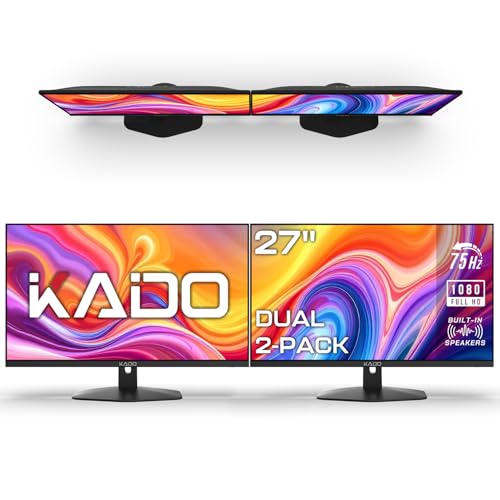 Kado 2-Pack Dual 27" Flat Screen 1920x1080 75Hz |
8.0/10 | Buy | |
| Best Value |
 Sceptre Curved 24-inch Gaming Monitor 1080p R1500 |
9.1/10 | Buy |
| Best Premium |
 Kado Dual Monitor 2-Pack 24" Curved 1500R |
8.1/10 | Buy |
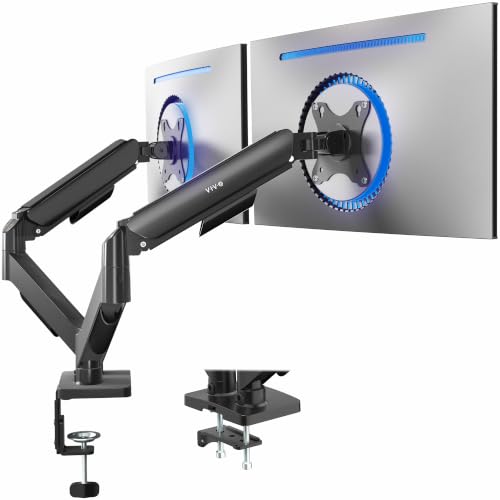 VIVO Dual Monitor Stand, Fully Adjustable Arms |
8.6/10 | Buy | |
| Best Budget |
 ErGear Dual Monitor Stand |
9.1/10 | Buy |
 PRAISUN 55-Inch Gaming Desk with Power Outlets |
8.4/10 | Buy | |
| Best Overall |
 VIVO Dual Monitor Desk Mount STAND-V002 |
9.2/10 | Buy |
 ODK 53" L Shaped Gaming Desk with Shelves |
7.8/10 | Buy |
PRAISUN 55-Inch Gaming Desk with Power Outlets
The PRAISUN 55-inch gaming desk delivers an organized, feature-packed workstation with built-in power outlets, smart app-controlled RGB lighting, and a full-width monitor riser. It is an ideal pick for gamers, students, and remote workers looking to maximize surface utility in a compact room footprint.
Pros
- Integrated power station with 4 AC outlets, 2 USB ports, and 1 USB-C port eliminates messy extension cords.
- Elevated full-width monitor shelf holds dual displays and frees up main desktop surface space.
- Vibrant RGB lighting with phone app control and sound-reactive music sync creates an immersive setup.
- Sturdy steel frame and P2 engineered wood build provide dependable stability for daily computing.
- Fast, frustration-free assembly with clearly labeled pieces and included installation tools.
Cons
- Shallow 19.7-inch desktop depth limits space for oversized mousepads or expansive desk accessories.
- Fixed-height desk frame lacks motorized or manual sit-stand adjustability.
- Built-in monitor riser shelf may obstruct standard aftermarket C-clamp monitor arm mounting on the rear edge.
VIVO Dual Monitor Desk Mount STAND-V002
The VIVO STAND-V002 is a heavy-duty steel dual monitor desk mount that secures two screens up to 30 inches and 22 pounds each via C-clamp or grommet. It is an ideal space-saving upgrade for remote workers, gamers, and multi-monitor professionals seeking flexible articulation and reclaimed desktop room.
Pros
- Solid steel construction provides stable support for two monitors weighing up to 22 pounds each
- Dual installation options include a heavy-duty C-clamp fitting desks up to 3.25 inches thick and a through-desk grommet mount
- Full-motion articulation allows seamless rotation between landscape and portrait viewing modes
- Detachable VESA plates make installing and removing screens safe and straightforward for a single person
Cons
- Both monitor arms connect to a single central collar, preventing independent vertical height adjustments between screens
- Not suitable for thin hollow-core or glass desktop surfaces without an aftermarket metal reinforcement plate
- Extending the arms for optimal focal depth may require pulling the desk several inches away from the wall
Frequently Asked Questions About Multi-Screen Desks
What desktop depth is recommended for a dual monitor setup?
A desktop depth of at least 24 to 30 inches is ideal for dual displays. This depth maintains a healthy focal distance of 20 to 28 inches from your eyes, which minimizes neck strain and eye fatigue. Desktops with shallower depths leave little room for your keyboard and mouse once display stands or heavy arms clamp to the back edge.
Can an engineered wood desktop safely support a dual monitor desk clamp?
Yes, solid engineered wood desktops safely support dual monitor clamps when the surface is at least 0.6 inches thick. Heavy steel arms concentrate substantial downward pressure on a small footprint. Dense particle board or P2 engineered wood handles this clamping force reliably, while hollow core honeycomb tops risk crushing under the weight.
How much total desktop width do dual 27-inch monitors require?
Dual 27-inch monitors placed side by side require at least 48 to 55 inches of desktop width. Two 27-inch screens measure roughly 48 inches across when aligned flat. Desktops measuring 53 inches or wider accommodate slight screen inward curving while leaving space for external speakers and desktop peripherals.
Are L-shaped corner desks better for dual monitor gaming setups in 2026?
L-shaped desks provide superior corner ergonomics and peripheral space for multi-screen workstations. Angling dual screens in the main corner leaves the secondary wing open for consoles, audio interfaces, and charging docks. In shared bedroom layouts, checking how wide a full-sized bed is helps confirm the corner desk layout will not block walkways.
What weight capacity should you look for in the Best Dual Monitor Gaming Desk?
A static weight capacity of at least 100 to 150 pounds is recommended for multi-monitor rigs. Two displays, an articulated mount, audio monitors, and a desktop PC case add up to significant weight. Selecting a desk with a reinforced steel frame prevents center sagging under sustained clamp pressure.
About the author
Nashia Baker is a home and lifestyle journalist who covers furniture, décor, and everyday living. Her work includes hands-on seating reviews and product comparisons, with particular attention to comfort, materials, and how furniture fits into real homes.